
A few years ago, Tony, our Head of Design, found himself in a very different kind of design studio – a local primary school classroom.
He’d been invited to run a design workshop for the pupils, and what started as a chance to share his job quickly became something more reflective. Explaining design to children meant stripping his day-to-day work back to its basics – why design matters, how ideas take shape, and what creativity really looks like.
It also took him right back to the moment he first realised what he wanted to do.
Here’s Tony’s story.
I count myself as pretty lucky. Not everyone has a clear idea of what they want to be or do in their career, but when I was about 12 years old I developed a fascination with album artwork and discovered the concept of graphic design. At 15, I did work experience at a small design studio, absolutely loved it and realised that being a designer was unquestionably what I wanted to do.
Fast forward a few decades and now I get to create bespoke websites, apps and digital experiences every day – I genuinely love what I do!
So when I was asked to speak at my children’s primary school about digital design, I jumped at the chance. I was really excited about the prospect of inspiring even just one youngster to set off down their own creative path.
Planning the workshop
For my debut teaching experience I was going to have three one-hour lessons, with kids aged 7–11 years old. I had two main objectives in mind – explain to the kids what a designer does, and get them to actually design something themselves.
The problem I was going to have was that the field of ‘digital design’ is really varied. It can cover everything from email marketing campaigns to progressive web applications and VR experiences.
After stewing on it for a number of weeks and leaving my homework until the last minute, I decided I needed to narrow the focus and put it into a context that my audience would understand. So instead of talking about digital design in general, I decided to centre my talk around designing apps. Most youngsters have exposure to apps from an early age these days, so it’s a medium they are all familiar with.
So the title and theme of my workshop was now set…

Part one: What does a designer do?
I’m used to speaking to colleagues and clients about what I do (quite often joking that it’s basically “colouring in on a computer”), but framing it in a way that makes sense to 7–11 year olds whilst doing it justice as a skilled and exciting vocation, is really tough.
In the end, this is how I summarised what a designer does (in the context of designing an app):
Part two: Designing an awesome app
So now I’d defined what we do, I needed to explain how to do it and get the kids to put it into practice. The typical ‘Empathise, Define, Ideate, Prototype, Validate, Iterate’ UX process isn’t going to cut it with our pre-teen crowd, so here’s how I broke it down and what I asked the kids to do:
1. Plan your awesome app
Come up with as many ideas as you can before settling on an idea
Think about who your app is for and what it does
Write a short description of your app
Come up with a name for your app
Design your app icon
2. Design your app
How will your app work?
What screens will your app need?
What will need to be on the screens for the user to understand?
Think about other people – don’t just design for yourself
3. Get feedback
Swap designs with your neighbour
What do they like about your app?
Do they understand it?
How can it be even better?
Don’t be mean!
4. Make it even awesomer!
Listen to your feedback
Make improvements
KISS
Keep it simple, stupid is a principle that all designers will be familiar with. It’s a bit clichéd, but it’s a nice basic rule. So this was what I asked the kids to bear in mind as they were designing their apps (swapping ‘stupid’ for the friendlier ‘silly’!).
It’s also the reason I decided to make the practical part of my workshop a pencil and paper exercise. I was originally planning to get my young designers creating something on-screen and possibly even interactive, but this was always going to present technical problems in the classroom, and designers often start on paper so we can get our ideas down fast and iterate!
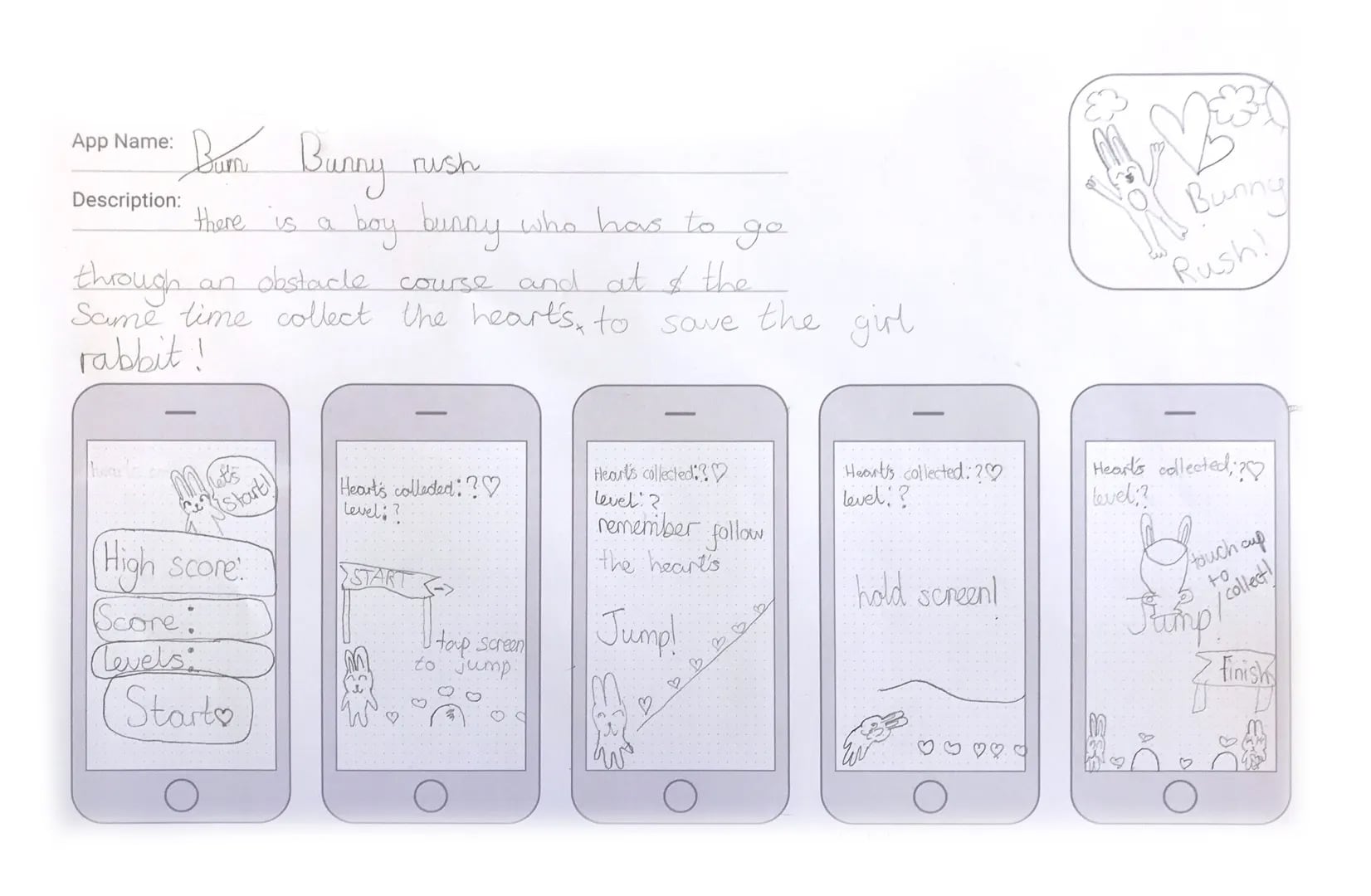
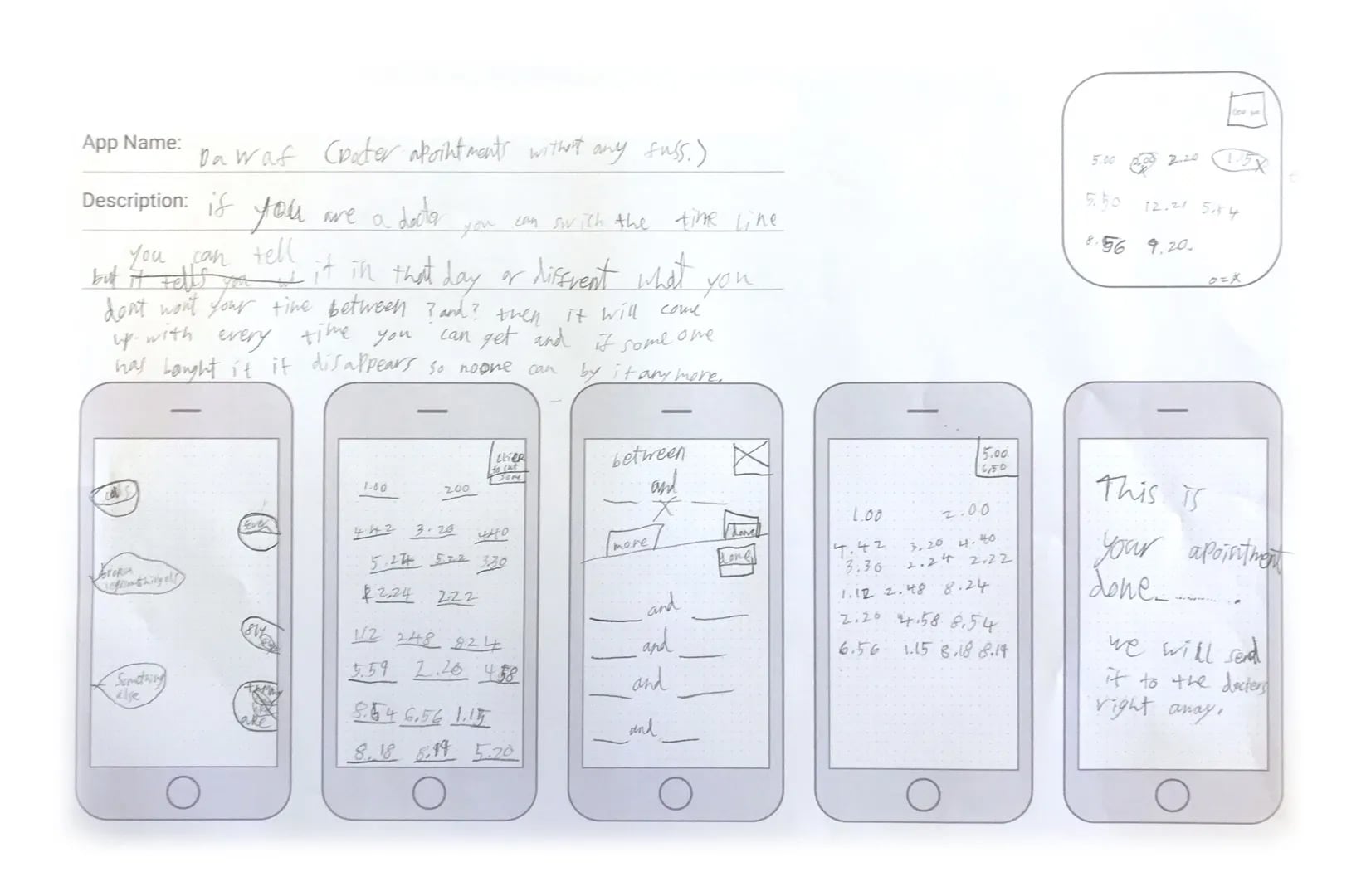
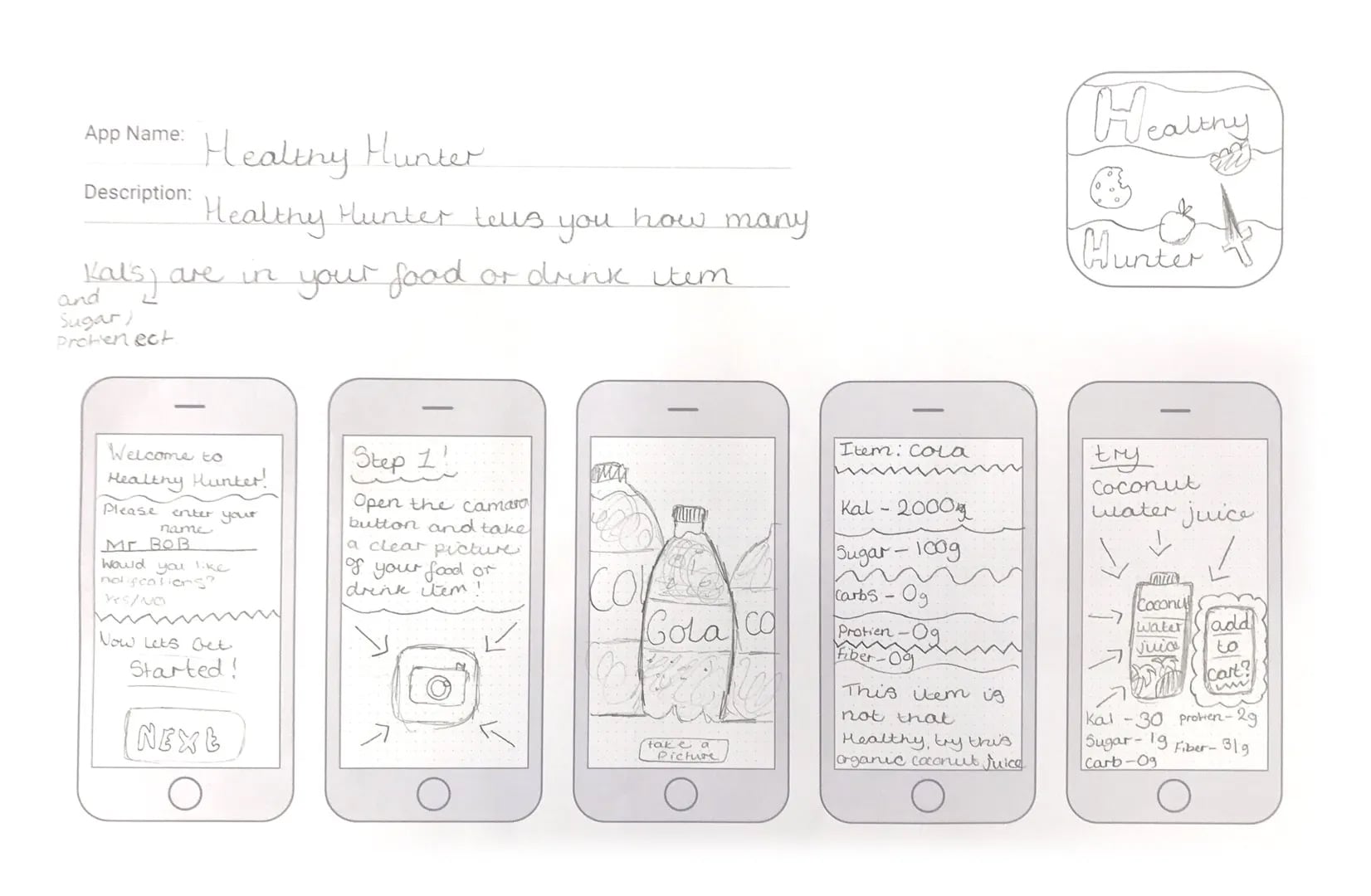
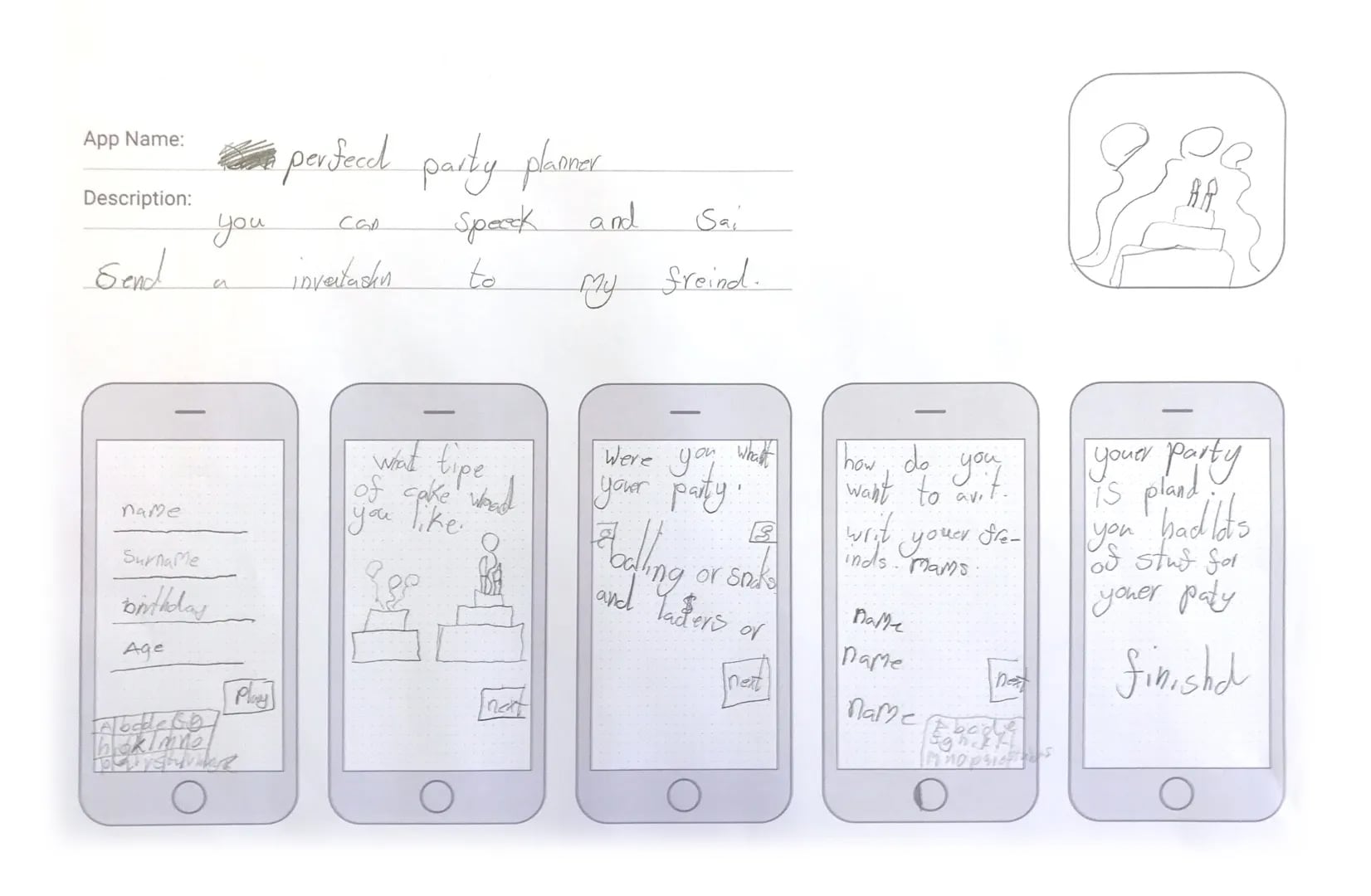
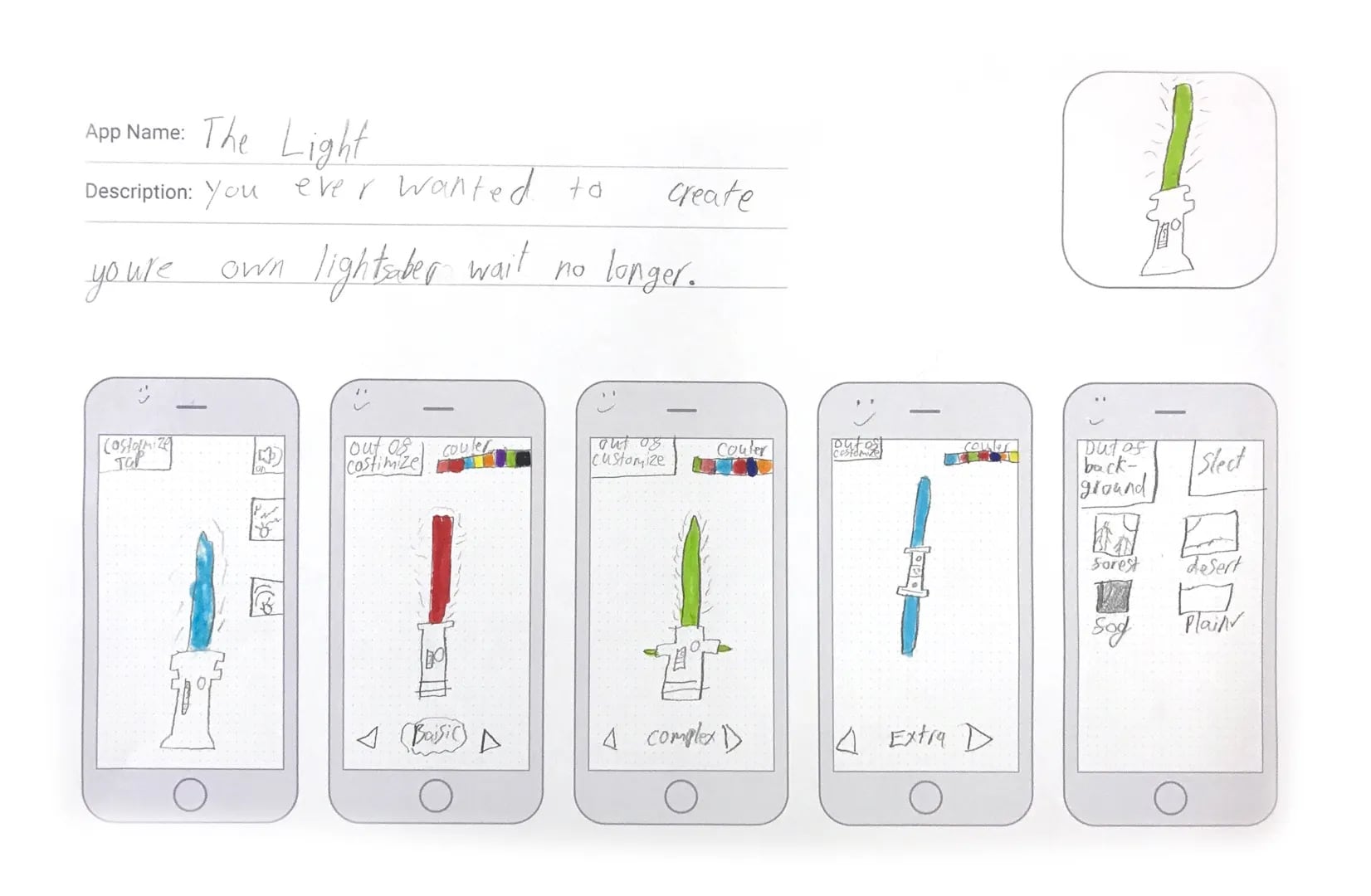
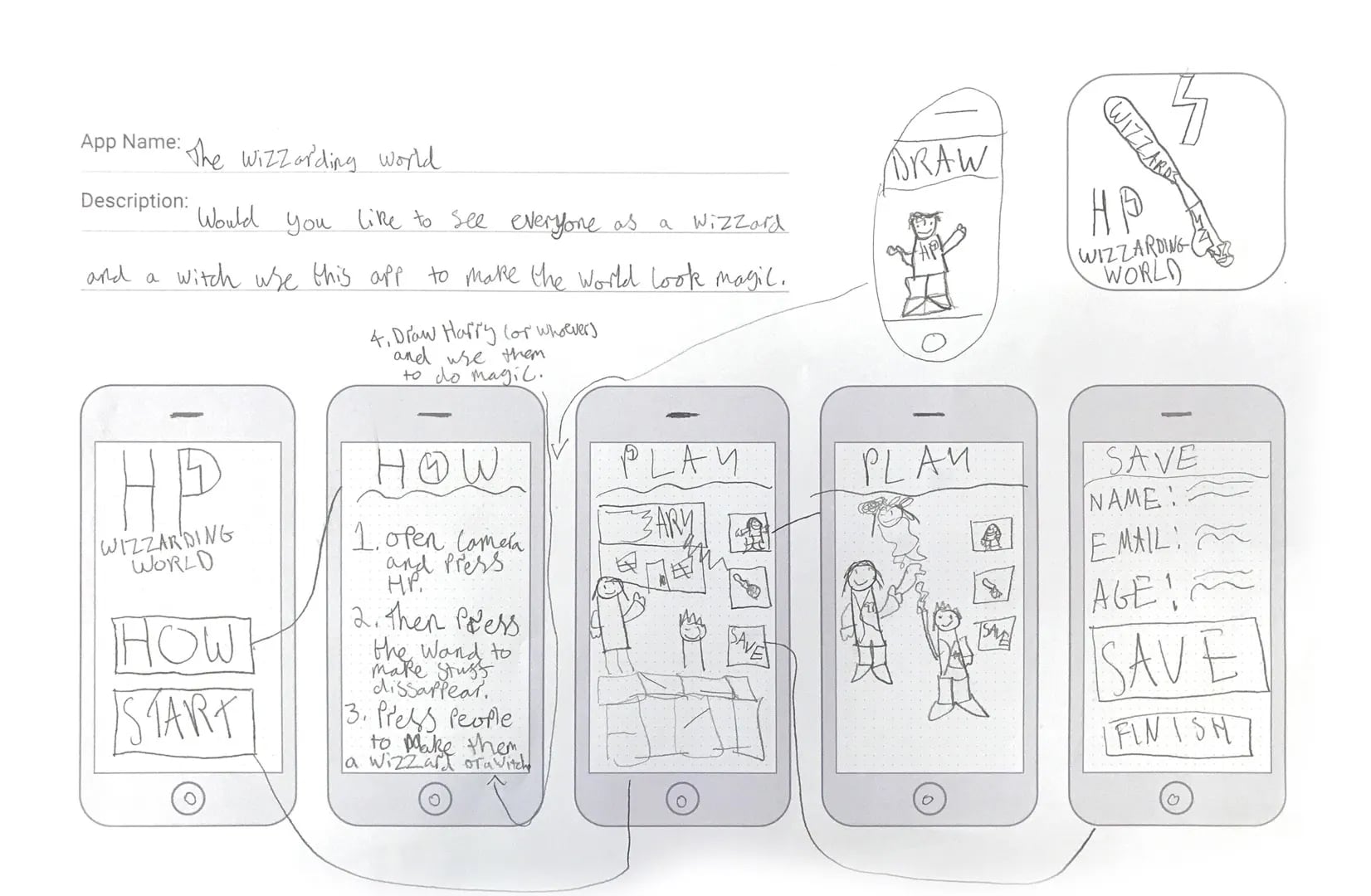
Ahead of the workshop I put together an ‘app design sketchsheet’, with space for the app name and description, an app icon shape and templates for the screens. Many of the kids flew through the screens, so if you’re planning on running a similar workshop bring plenty of spare sheets!
The results
The whole workshop went down really, really well. The kids were excited about creating something from nothing, and what they did come up with was frankly brilliant. Over three, one hour workshops, there were over 60 unique apps created. Most were games of some description, but there were also apps to help you plan parties, book a doctor's appointment and even an app that generates excuses for you to get you out of cleaning your room!
Overall this was probably one of the most rewarding things I have ever done. There were a number of children who openly said they didn’t think they could do it, or were obviously uninterested to start with. But with a little bit of encouragement and guidance they went on to produce some really creative apps that they were incredibly proud of at the end.
Here are some of the Awesome Apps that were created…
The future is bright
There’s a lot of emphasis on encouraging coding and web development amongst our youngsters today, which I whole heartedly support. But we also need designers to work with these future engineers, to design their own digital worlds and push the boundaries way further than I could even imagine. After this experience, I have every confidence in our next generation of awesome designers.
Tony’s Top Tips
If you’re planning on running a similar workshop (which I highly recommend), here are my top tips: